As data centers rapidly grow and develop, the need for a faster network connection also increases. With the ratification of the IEEE 802.3ab in 2010, 40G has displaced 10G as the next network speed evolution in the enterprise.
What drives the need for 40G today is the same force that drove the need for 10G just over 10 years ago: increasing bandwidth demand. In the modern enterprise, bandwidth demand is driven by the changing nature of applications and advances in server and storage technologies. Let’s look at some of the benefits of upgrading to a 40G network.

High Speed
Surely one of, if not the, biggest reason for upgrading to a 40G network is the speed. The industry currently relies on 10G technology for lightning speed data transfer, capable of transmitting 10,000,000 bytes of data every second. Now imagine if you could multiply that speed four times. That’s how fast and efficient a 40G network is.
Especially in this day and age of massive files like 4K videos, high-resolution photos, and cloud backup files being sent and received every single day, there is virtually no downside to having a faster connection.
Low Power Consumption
As a consumer, you might think that surely the equipment for a 40G network would run up your electricity bill since it’s faster. Which is a fair point. However, if you consider the fact that you’d be able to finish transmitting a file or data in a quarter of the time that you used to, using your current network, the energy efficiency will be apparent. Additionally, manufacturers are coming up with Quad Small Form-Factor Pluggable modules that have power consumptions of just 1.5 to 3.5 Watts.
Click here to learn more about our 40gb transceivers.
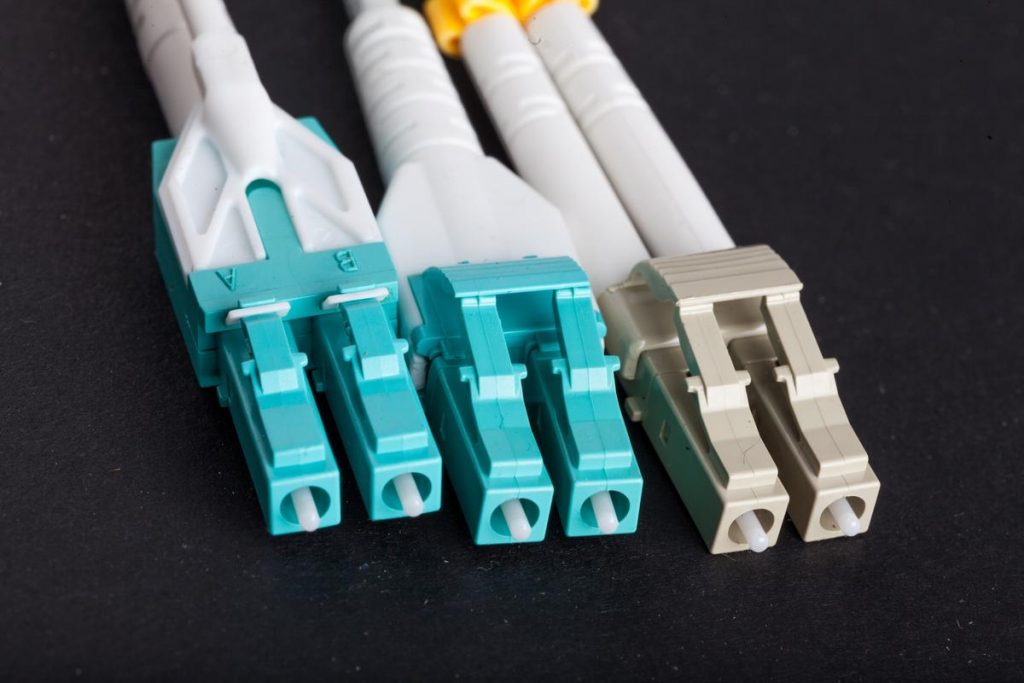
Increased Density
In this day and age of continuous improvement and expansion of storage network area environments, space has never been more important. The growth of data centers is a reality that is challenging to keep up with and perhaps the most difficult hurdle to overcome is the physical floor space to put all of it on.
Fortunately, evolving technology can come to your rescue with new products designed to work well using less space. Such as the equipment that goes hand in hand with a 40g network. Using denser fiber optic cables and patches always translate to better space-saving capability as well as better performance.
Longer Reach
Single mode and multimode are two different types of cables in optical networking. For data centers, storage area networks (SANs), or local area networks (LANs), multimode fiber systems are often used due to it being a reliable, flexible, and cost-effective cabling solution.
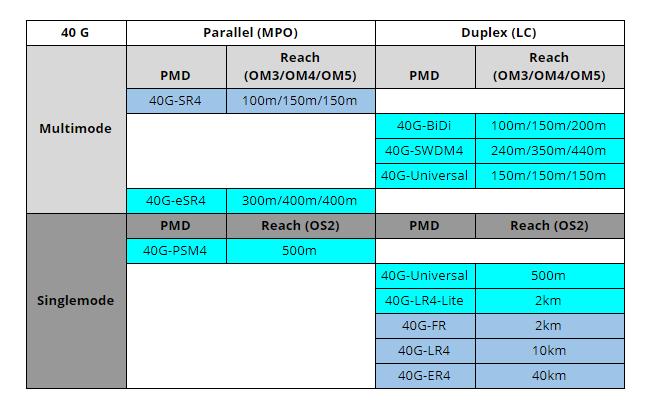
Multimode fiber is further divided into several types, from OM1 to OM5. OM4 is the current industry standard for a 40G network and can transmit data for up to a pretty far-reaching 150 meters.
Here we can see a broader comparison of different cables which can be used for your 40G network and their corresponding maximum reach.
Low Cost
Another big concern why you might be hesitant to upgrade to a 40G network is the cost. Sure, data center upgrades could be really expensive. You’d need to get not just new switches, but more SR4 fibers plus a ton of other equipment.
Fortunately, though, there is another way to upgrade to 40G without breaking the bank. Using a transceiver that utilizes your current fiber infrastructure, such as the Cisco 40 Gbps QSFP Bi-Directional transceiver will help you do just that.
Let’s look at the savings for a 10 Gbps to 40 Gbps Direct-Cabling Migration and new 40 Gbps Deployment when using Cisco BiDi:
| Fiber Cable Infrastructure Cost and Savings with BiDi* (US$) |
30m | 60m | 100m |
| 288 LC-connector dual-fiber MMF cables for Cisco BiDi | $7,884 | $12,966 | $19,647 |
| 288 MPO-connector ribbon-fiber MMF cables for SR4 | $32,058 | $53,562 | $83,412 |
| 10 Gbps to 40 Gbps Migration | |||
| Total savings (US$) | $32,058 | $53,562 | $83,412 |
| Per port savings (US$) | $111 | $186 | $290 |
| Savings (percent) | 100% | 100% | 100% |
| New 40 Gbps Deployment | |||
| Total savings (US$) | $24,174 | $40,599 | $63,765 |
| Per-port savings (US$) | $84 | $141 | $221 |
| Savings (percent) | 75% | 76% | 77% |
In this example, you need 288 new direct 40-Gbps connections in addition to the existing cabling infrastructure for a data center expansion or upgrade. The savings for all these new connections if you use Cisco QSFP BiDi instead of QSFP SR4 transceivers would be as high as 77 percent and US$221 per 40-Gbps port.
These numbers still do not take into account the installation costs. Adding installation costs could easily double the SR4 deployment costs. As your partners in IT procurement, the Cisco 40GBase-SR Bi-Directional QSFP Module is available from us with a lifetime warranty.
Utilization Of Current Fiber Infrastructure
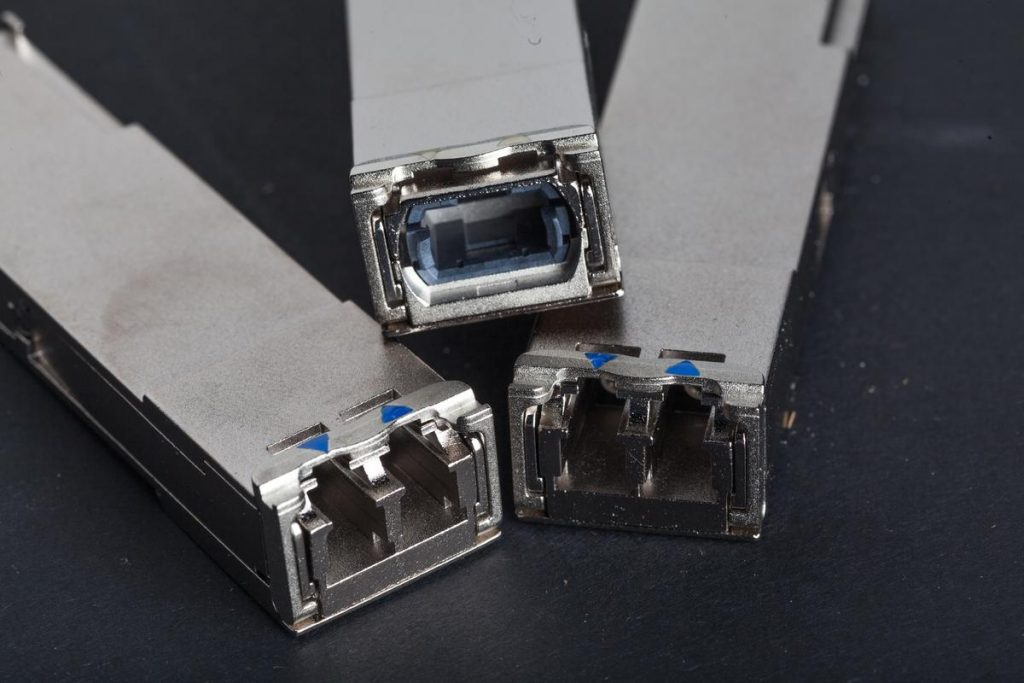
To support 40G connectivity, data center administrators are challenged by the necessity of a hugely major upgrade of the cabling infrastructure. This problem is solved by using innovative 40G Quad Small Form Factor Pluggable (QSFP) technology which transmits full-duplex 40G traffic using over a single dual-fiber LC connector OM3 or OM4 MMF cable.
Simply put, it allows you to upgrade to 40G connectivity without making any changes at all to your current infrastructure. This system virtually eliminates the cost barriers for migrating from a 10G network to a 40G one to enable a higher data rate.
Conclusion
The need for more speed and more space never goes away. Don’t wait to start preparing your network for future technology. The need for faster data transfer rates is relentless and carries significant implications with to your productivity.
Migrating to a 40G network doesn’t have to be difficult and expensive. Like what we have covered, the process of upgrading can be done in smaller steps by utilizing your existing fiber infrastructure. As your partners in IT procurement, we are here to help you make the migration as painless and as efficient as possible. We will make sure you get more, and spend less.