UPDATE: Please visit the update and more indepth version of the “All About OM4 Fiber Cabling & Connector Types” article in our new CK Learning Center.
Your network solution must meet many demands. Future growth, reduce operational costs, improve energy efficiency, and optimize infrastructure utilization. In the present age of improving and expanding storage area network environments, density has never been more important.
It has been proven that using denser fiber optic cables always equates to better space saving capability as well as better performance. However, most people are often confused as to what type of cable they should be using. Let’s take a look at them.
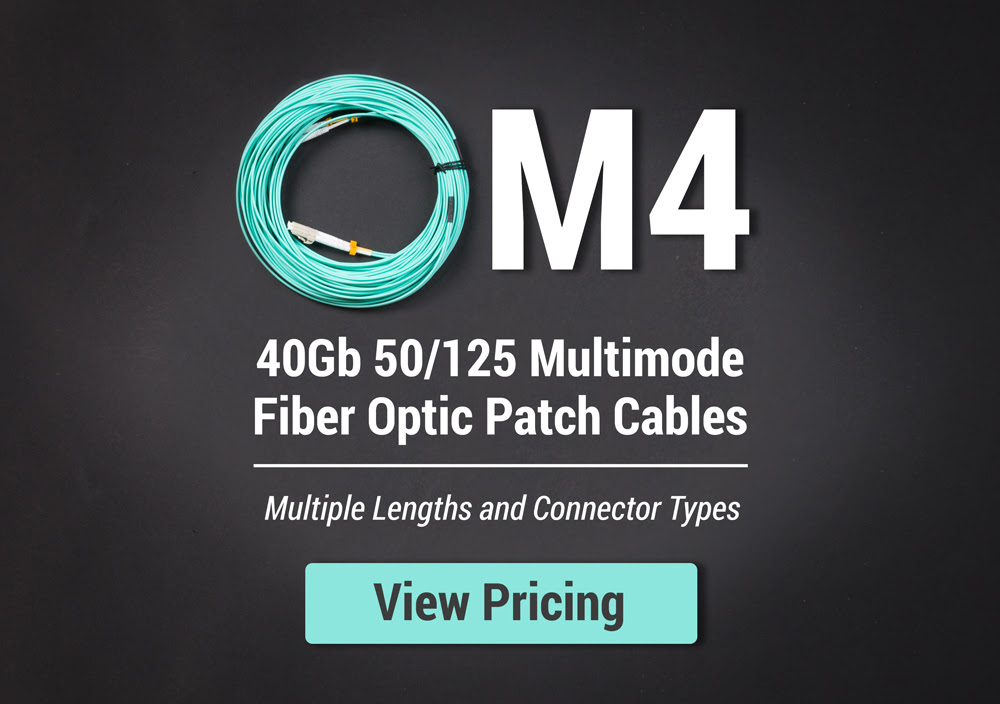
There are different types of fiber optic cables available in the market. You will commonly come across the single mode and multimode types of optics. However, the multimode is further divided into many types. It consists of the core and cladding that helps to increase the density of the fiber optic cable. One of the most popular and recently introduced types of fiber optic cable is OM4. Below, we have all the information and characteristics of the OM4 fiber cabling that you should know about.
OM4 Fiber Cabling
The OM4 fiber cabling is optimized with laser and has the highest bandwidth of 50 um. It is a multimode fiber optic cable which is not a new type of fiber, but it has recently gained popularity in the data center market. Since 2005, there are many fiber manufacturers that have been trying to sell the fiber optic cables based on the effective modal bandwidth that has the value equivalent to OM4 fiber cabling.
There are several types of fiber cable connectors available in the market today. Part of the hurdles of running an efficient and cost-effective network is knowing which connector would be most beneficial for you. Here we’ll talk about the three types of connectors to help you decide which would be best for your system. The Standard Connector (SC), Uniboot, and the High-Density Push Pull type of connectors.
Standard Ends / SC
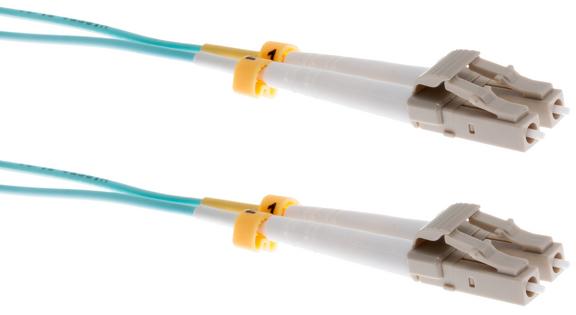
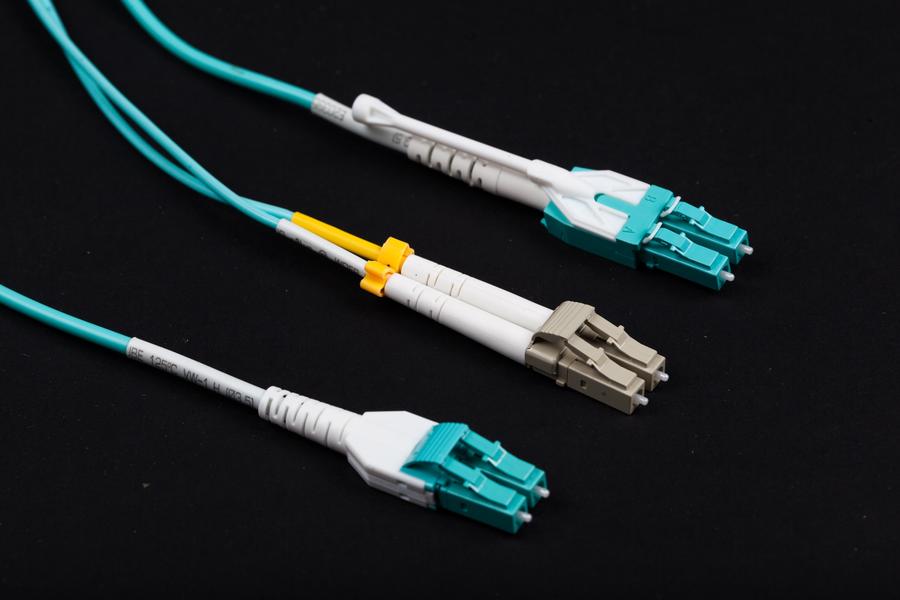
Standard Connectors are an older and larger connection type that can usually be found in Cisco GBIC’s. The rectangle design allows higher density installation compared to older, legacy fiber end types. They have a “push-pull” type of connector, has a ferule diameter of 2.5mm and defined by IEC 61754-4. Here are some of the features you will get with the OM4 fiber cabling and standard ends.
-
- OM4 fiber cabling is designed to enhance the cost benefits of the system
-
- It is enabled by 850 nm VCSELs.
-
- OM4 fiber cabling can easily transmit the signals from the standard 10 Gb/s, to 40 Gb/s and even 100 Gb/s in some cases.
-
- The OM4 fiber cabling can easily support the fiber channel and OIF applications.
- For ultra long building backbones, you can easily extend the wire to reach a height of 400 meters at the speed of 10 Gb/s.
View Standard OM4 Fiber Cable Pricing
Uniboot
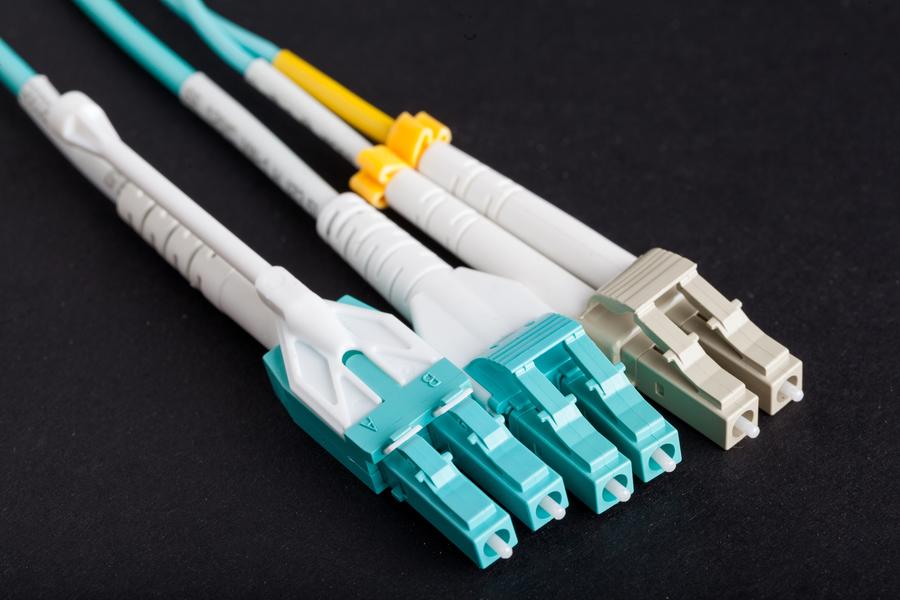
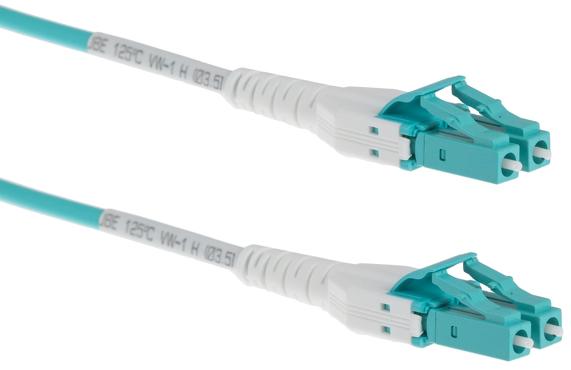
Uniboot fiber optic cables are made up of two connectors that are joined by a common housing within a single boot. It is terminated on one, round dual-fiber cable to achieve duplex data transmission. It allows up to 68% savings in the volume of cable due to a great compact design, and it can also ensure easier operability and maintenance with color identification and tool-less field reversible polarity (on cables were specified). All these features make it an ideal option for high-density network environment.
-
- Polarity reversal (on cables where specified) is very easy. There is no need to learn special skills to change the polarity of the cable. You can even change it in the field quickly.
-
- The Uniboot cables are all in one. They will provide you the best speed, transmission, and performance.
-
- With the low insertion loss and worldwide license, your network will be running smooth and fast.
-
- It has a diameter that will allow you to switch the polarity from A-B to A-A anytime even without tools.
- Tested to improve cable management by more than 60% which helps save lots of space.
View Uniboot OM4 Fiber Cable Pricing
High Density/push-pull Tab
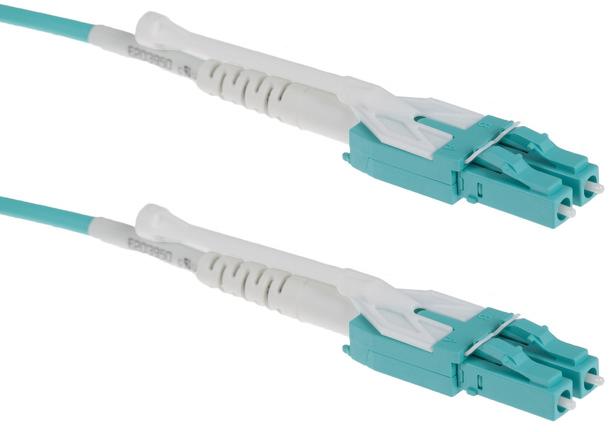
The high-density cables feature a special and specific design, which features a push-pull tab connector that offers amazing accessibility in high-density installations. It has the same components and internal-structure with the fiber optic patch cords, except that it has a tab attached to the connector used for pulling or pushing the whole connector. With this design, the data technician is able to perform the removing and installing procedures with no tools needed and using only one hand. There are 12 to 24 fibers in the cable that helps it maintain the perfect density for you to get the best results.
-
- If you are using the right port, it is very easy to insert and disconnect the wire from the connectors. You will not have to deal with any issues while managing the cables.
-
- There are no specific tools and technologies required to change the wire from one patch to another. You will not even have to call an expert because you can easily manage it on your own.
-
- The adapters are mounted closer to the system that helps to increase the density of the wires. You will not have to use the finger access to the connector latch mechanism.
- It is space saving because unlike the traditional connectors there is no vertical space required in the system. It is low profile and will allow you to stack all the cables at the same time.
View Push-Pull Tab OM4 Fiber Cable Pricing
Standard Connectors, Uniboot, And High-density/push-pull Tab
Comparison
Of course, a common question that most data center individuals ask is whether they should get the standard, the uniboot or the high-density/push-pull type of cables. Here we have a complete comparison to help you make the right decision.

Performance and Reliability
All these patch connectors are used with fiber cables so they are all pretty fast on their own. However, if you factor in the installation and the frequent connecting/disconnecting of these cables, the uniboot and high-density cables win by a mile. By making cable management easier, you are assured of an efficient and reliable system. Having cables installed and stacked neatly also does wonders for airflow, which in turn provides a more reliable network solution.
Space
Among the three types of cables, the standard patch cable would leave the largest footprint. It also has a “push-pull” type of connector however, ample finger access is still needed due to it being an older design and is not suitable for a growing infrastructure.
Uniboot cables are designed and utilized to achieve more efficient cable management. They can increase cable management space by up to 68% as compared to traditional standard assemblies. It will take only a little space that will allow you to easily manage a higher number of cables. High-density cables on the other hand, virtually eliminate the challenge fiber optic technicians face when disconnecting and inserting patch cables in high-density environments. The low profile patch cables allow adapters to be stacked one over the other with absolutely no vertical space. Use this for your network when space is at an absolute premium.
Price
In today’s market needs, the clear advantage that standard cables have over the uniboot and the high-density cables is when it comes to the price. You can get more, and spend less. Which is understandable given that it has been around for a while and is the most basic type of connector. If you’re willing to spend a few more dollars for future-proofing and easier cable management, it’s best to go with the uniboot or the high-density patch cable.
| STANDARD | UNIBOOT | HIGH DENSITY | |
| Coupling Type | Push-Pull | Snap | Special Pull Tab |
| Ferrule Diameter | 2.5 mm | 1.6/2.0 mm | 1.6/2.0 mm |
| Standard | IEC 61754-4 | IEC 61754-20 | IEC 61754-20 |
| Color | Aqua/Violet | Aqua/Violet | Aqua/Violet |
| Core Size | 50 Micron | 50 Micron | 50 Micron |
| Cladding Size | 125 Micron | 125 Micron | 125 Micron |
| Features | GBIC-use; Telecom; Extremely common | Polarity reversible, practical design | Polarity reversible, Space-saving, cost-effective |
Conclusion
As data centers become more and more dependent on high-density and high-speed solutions, using either the uniboot patch or high-density/push-pull tab cable would undoubtedly be an excellent choice. Both of them would be able to reduce congestion and save space, all while providing flexibility and easy manageability. Both these products as well as the standard connector is available from us. With an included lifetime warranty and same-day shipping if you order before 8PM EST, cable management has never been easier.
Click here for more information about our new CablesAndKits-branded, Premium OM4 fiber cables and to download our OM4 data sheet.