

80Ft USB2.0 Active Extension/Repeater A-Male/Female
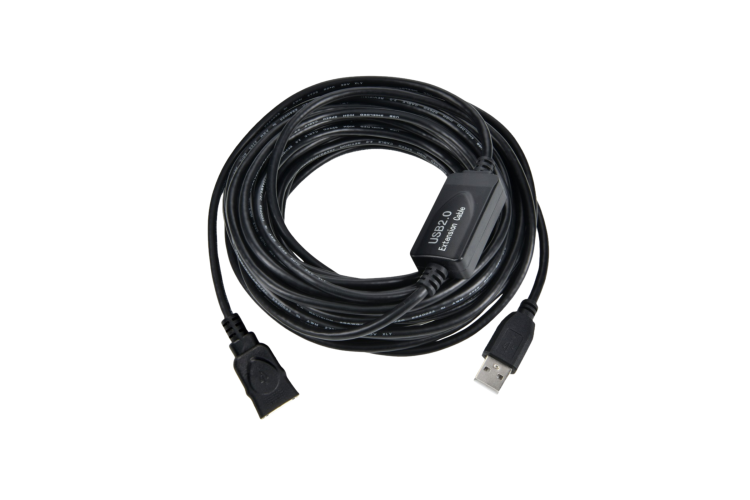
| Length | 80 ft | Color | Black |
| Cable Type | USB Cable | Connectors | USB A Male - USB A Female |
| Data Transfer Rate | 480 Mbps | Brand | CablesAndKits |
| Gender | Female to Female | USB Version | 2.0 |
| Length - Feet | 80 | Length - Meters | 24 |
80Ft USB 2.0 Active Extension Cable | A Male to A Female | 480Mbps | New
This 80-foot USB 2.0 Active Extension/Repeater Cable allows you to extend your USB connection far beyond the 16-foot limitation of standard USB cables. Featuring a built-in signal booster, this bus-powered extension ensures reliable performance and full-speed data transfer up to 480Mbps without the need for external power. Ideal for connecting printers, cameras, external drives, or any USB device across longer distances.

Features:
- Color: Black
- Length: 80 Feet
- Cable Type: USB 2.0 Active Repeater
- Connectors: USB A Male to USB A Female
- Data Transfer Rate: Up to 480Mbps
- Power: No external power required
- Features: Built-in Signal Booster, Plug and Play, Signal Loss Prevention
Risk Free Purchase, Hassle Free Returns. AWESOME is GUARANTEED
After receiving your order, take a full month to try it out. If you decide it's not right for you, or if you're not completely satisfied in every way - if it's not AWESOME, we'll take it back and refund your money. Your complete satisfaction is GUARANTEED or your money back. That's Awesome.
Awesome That Never Ends.Everything you purchase from CablesAndKits is covered by a LIFETIME Warranty including a LIFETIME Advance Replacement Guarantee. The AWESOME never ends.
We understand that in the event of a product malfunction or failure long downtimes are not an option. If you experience a malfunction or failure with a product at any point during your ownership we'll ship a replacement the same day you report the issue. We'll even expedite the shipment if requested, with an effort to provide a delivery date and time that meets your needs. That's Awesome.
Terms and Conditions apply. Click here for details.