Modern IP cameras deliver high-definition video, smart motion detection, and reliable remote access. But when problems occur, they rarely come from the camera itself.
Most failures start with poor Ethernet cabling. Issues like voltage drop, electromagnetic interference, or impedance mismatch can weaken an otherwise reliable system. These issues almost always trace back to using the wrong cable.
This guide addresses the critical mismatch between advanced IP camera specifications and the Ethernet Cable that keeps them online. Because Power over Ethernet (PoE) combines power and data in one line, there is no margin for error in shielding, conductor quality, or cable spec.
When power and data share the same twisted pairs, every foot of copper and every layer of shielding is what safeguards your camera feed.
I. PoE Standards: What PoE, PoE+, and PoE++ Deliver
The IEEE PoE standards define the power your cable must handle and the consequences if it cannot.
- PoE (IEEE 802.3af): Delivers 15.4W. This is common for fixed-position IP cameras.
- PoE+ (802.3at): Delivers up to 30W. This is ideal for cameras with IR LEDs or basic pan/tilt functions.
- PoE++ (802.3bt): Delivers up to 60W (Type 3) or 100W (Type 4). This is necessary for PTZ cameras, models with heaters, or multi-sensor enclosures.
More power means more current. More current means more heat and voltage loss (I²R loss). That’s why pure bare copper is essential. It resists power drop better than copper-clad aluminum (CCA).
Under heavy PoE++ loads, CCA can cause voltage sag that reboots cameras or causes power cuts.
Pro Insight:
For any run beyond 50 feet, especially with PoE++, Cat6A or Cat8 cable with 23–24 AWG pure copper conductors is essential.
A CCA cable carrying a 60W load can lose up to 2 volts over 100 feet. That’s enough to shut down a PTZ camera when its motors engage.
II. Reliable Surveillance Starts at the Cable
Professional security integrators never gamble on uptime.
While consumer-grade systems may use wireless, serious surveillance runs on shielded Ethernet because physical factors demand it:
- EMI from HVAC, elevator motors, and LED ballasts disrupts Unshielded Twisted Pair (UTP) cables.
- Inconsistent conductor quality causes voltage drops and packet loss.
- Heat accumulation in tight cable bundles increases signal attenuation.
The proven solution is a shielded Cat6a or Cat6 S/FTP cable with a plenum-rated jacket for indoor runs. Proper shielding blocks radiated and conducted noise, preserves signal clarity, and meets fire codes for ceiling spaces.
Field Tip:
If an NVR feed drops mid-shift, the cause is rarely software. It’s usually a 78-foot UTP run routed near fluorescent fixtures.
III. When Surveillance Leaves the Building: Outdoor PoE Runs
Exterior camera runs face four distinct threats: UV radiation, water intrusion, EMI, and temperature swings. The right cable must handle these challenges from day one.
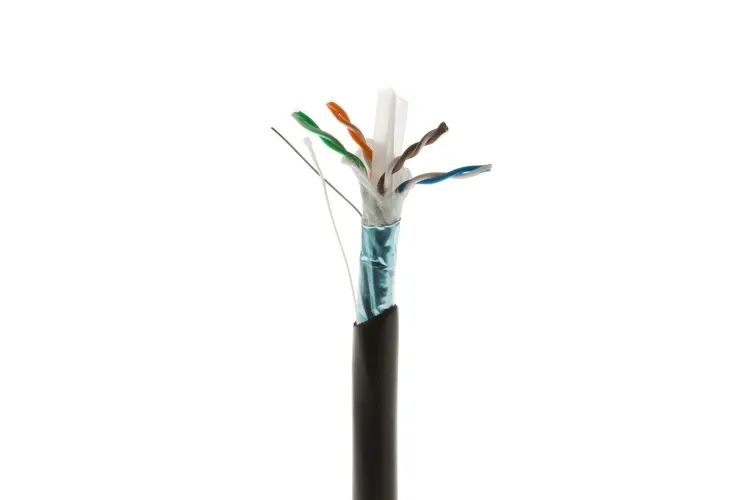
- Direct burial cable requires gel filling, foil shielding, and a PE jacket to block soil moisture and corrosion.
- Rooftop runs require UV-rated jackets. Standard PVC degrades in sunlight within months.
- Extreme temperatures demand TPE or PE jackets rated for –40°C to +80°C.
Even the best-shielded cables fail without correct grounding and sealed terminations. Maintaining shield continuity to the device chassis, not just the patch panel, is essential to prevent EMI and moisture intrusion.
Integrator Note:
A single unsealed rooftop RJ45 can wick condensation down 30 feet of cable. By the time the stream fails, the damage is done.
IV. How to Match PoE Ethernet Cables to Any IP Camera
Every PoE camera has a power and data profile that your cable must meet.
- Cat5e: Acceptable for 1Gbps and basic PoE. It is not stable for PoE+ on long runs.
- Cat6: Good for short indoor runs. Limit to under 75 meters for PoE+.
- Cat6a: Features higher twist density, a thicker gauge, and better shielding. It provides reliable PoE++ delivery up to 100 meters.
- Cat8: Limited to 30 meters but ideal for high-bandwidth switch uplinks and NVR clusters.
The shielding hierarchy is also critical:
- UTP: Use only in EMI-free spaces.
- FTP: An overall foil shield provides decent EMI protection.
- S/FTP: Foil shielding on each pair plus an overall braid provides maximum protection for high-interference zones.
Installation Tip:
Plan your bend radius and tray fill carefully. An over-tensioned or sharply bent shielded cable can suffer more damage than it would from electrical interference.
V. Field-Tested PoE Cables for 24/7 IP Cameras
The following are proven cable builds that professional installers use to deliver uninterrupted power and clean signal to IP surveillance systems. Each is specified to match PoE, PoE+, or PoE++ demands under real-world conditions.
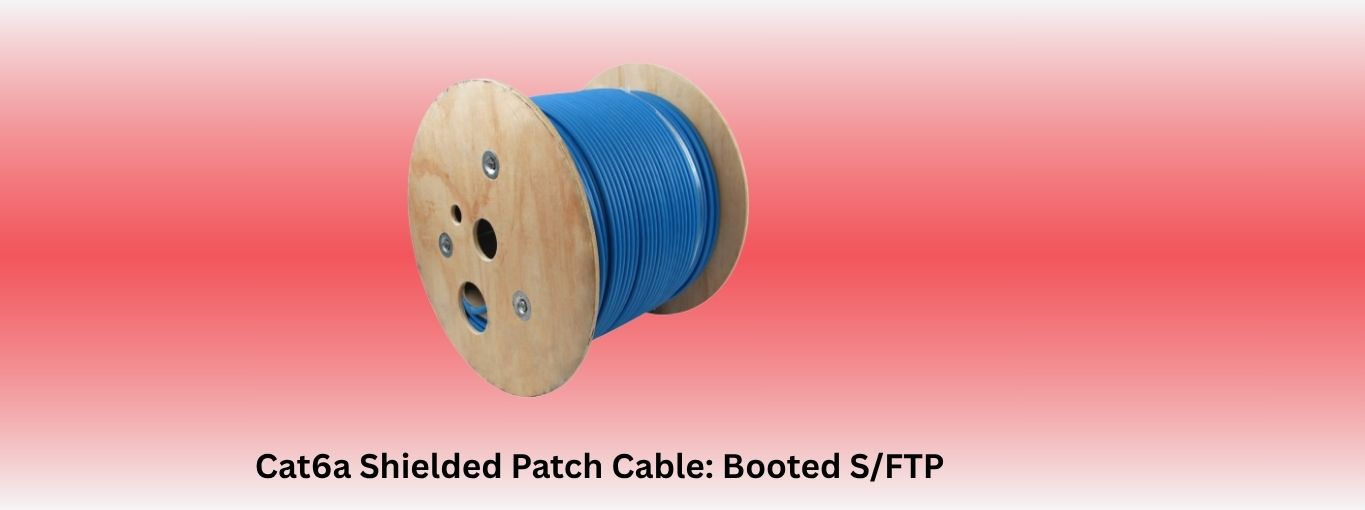
1. Cat6a Shielded Patch Cable: Booted S/FTP
This Cat6a patch cable is the workhorse for modern ceiling drops and tray runs in commercial sites. It is engineered with individually foil-shielded pairs and an overall braid. Its pure 23 AWG bare copper conductors guarantee low resistance for stable PoE++ delivery.
- Why It’s Used
Use this cable in plenum ceilings. Its CMP-rated jacket meets fire codes. Molded boots prevent snags during pulls and rework. When cameras are mounted in shared risers with fluorescent ballasts or HVAC mains, this cable’s shielding and copper purity prevent the crosstalk, packet loss, and voltage dips that kill camera feeds.
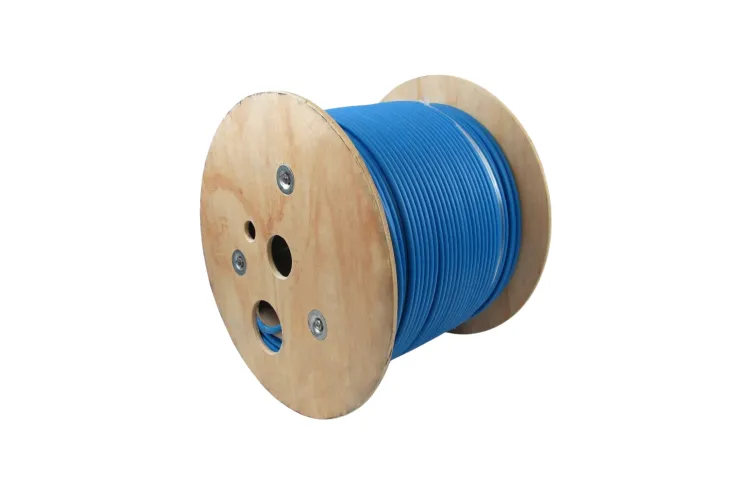
2. 1000ft Cat6 Outdoor Bulk Cable: Shielded, Direct Burial, UV-Rated
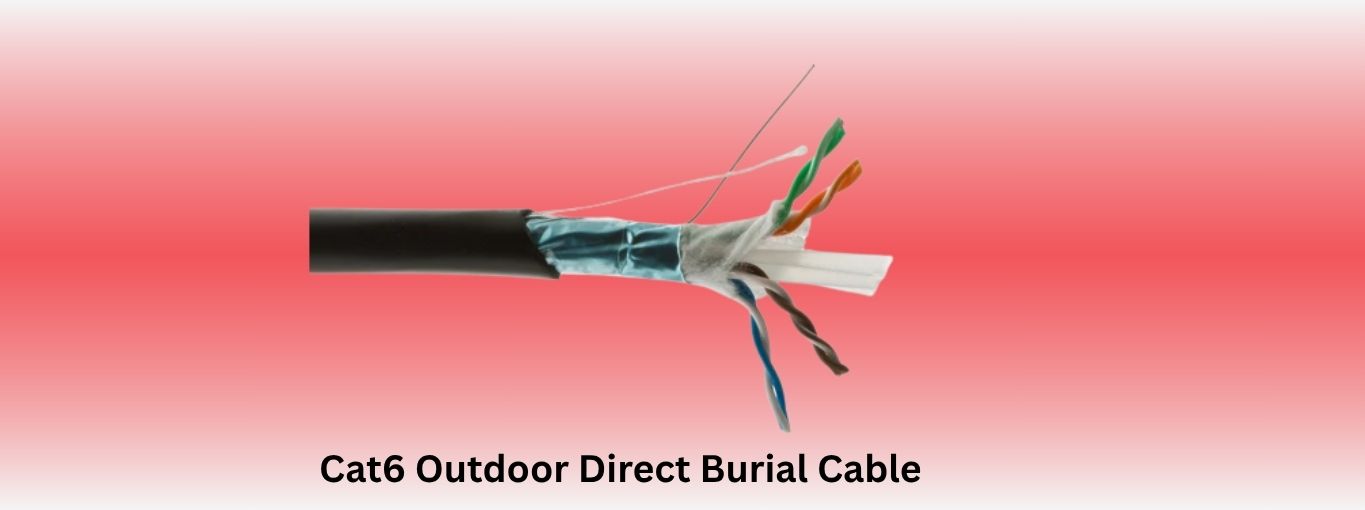
This Cat6 Outdoor Direct Burial Cable is the solution for extending surveillance to gates, perimeter fences, or remote outbuildings. Its direct-burial grade polyethylene jacket withstands soil acidity, and internal water-blocking gel keeps moisture from the copper core. The overall foil shield guards against EMI from nearby power lines.
- Why It’s Used
For large sites, pulling a continuous 1000ft run eliminates splice points, which are notorious for moisture intrusion and signal loss. Installers use this reel to trench once and seal the line properly, saving the cost of repeat excavation if an unsealed splice fails.
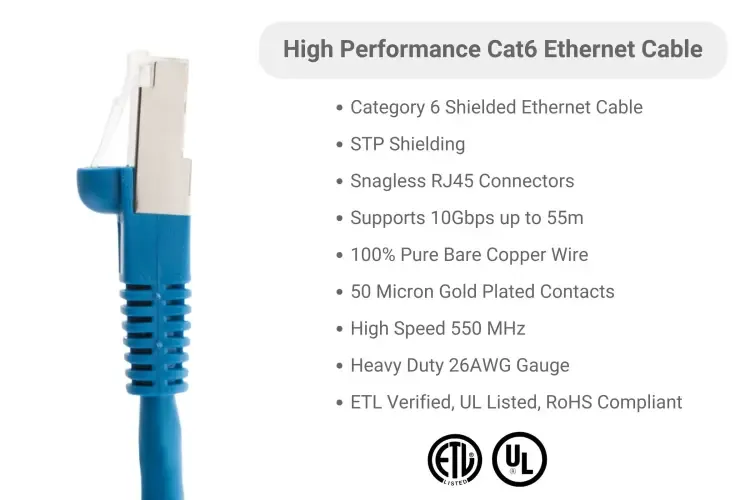
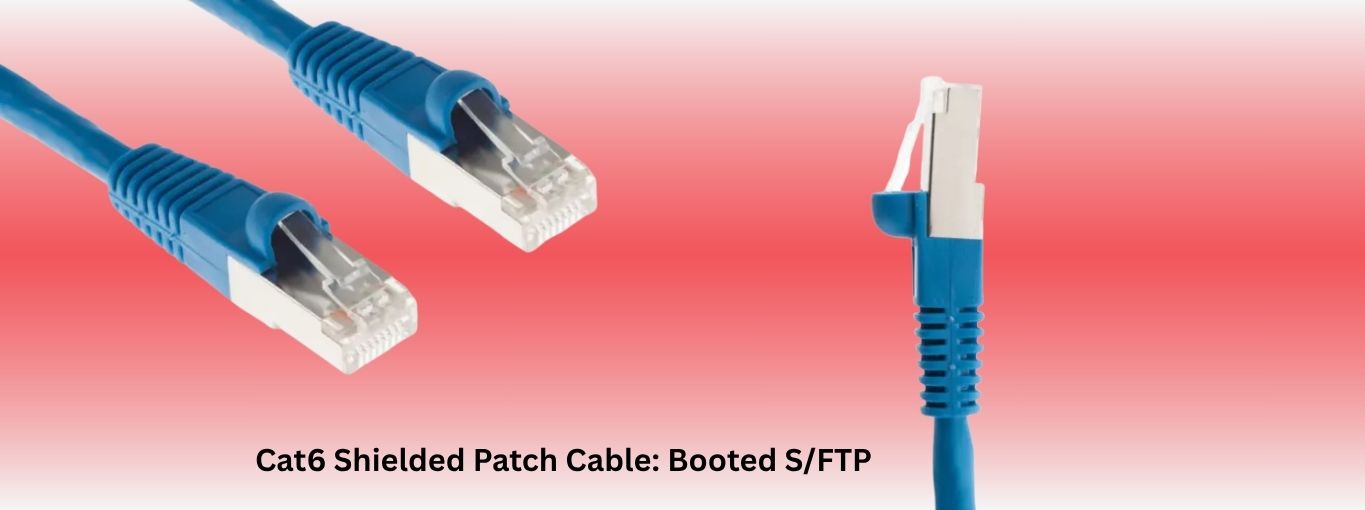
3. Cat6 Shielded Patch Cable: Booted S/FTP
This Cat6 patch cable balances flexibility and reliable shielding for environments like classrooms, retail stores, or healthcare facilities. Its S/FTP design absorbs moderate EMI from digital signage, speakers, or elevator gear. The 26 AWG pure copper conductors stay within PoE+ current ratings without overheating.
- Why It’s Used
This is a staple for drop ceilings where multiple low-voltage systems share raceways. A single, quality shielded patch cable saves hours of troubleshooting flickering video when power feeds run too close to the data line.
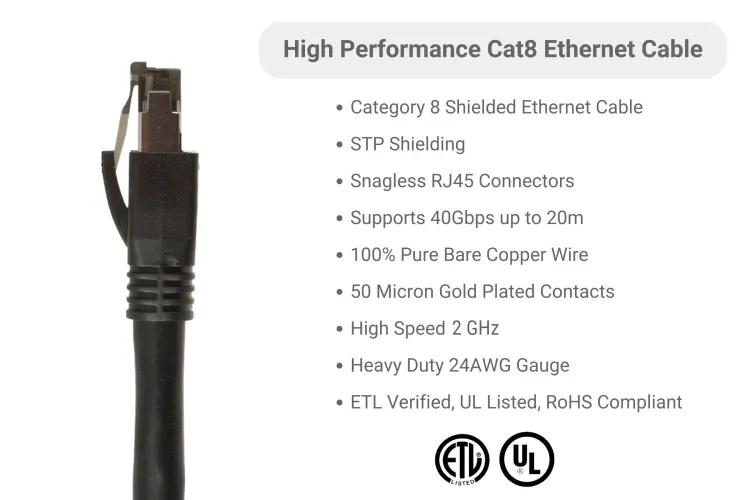
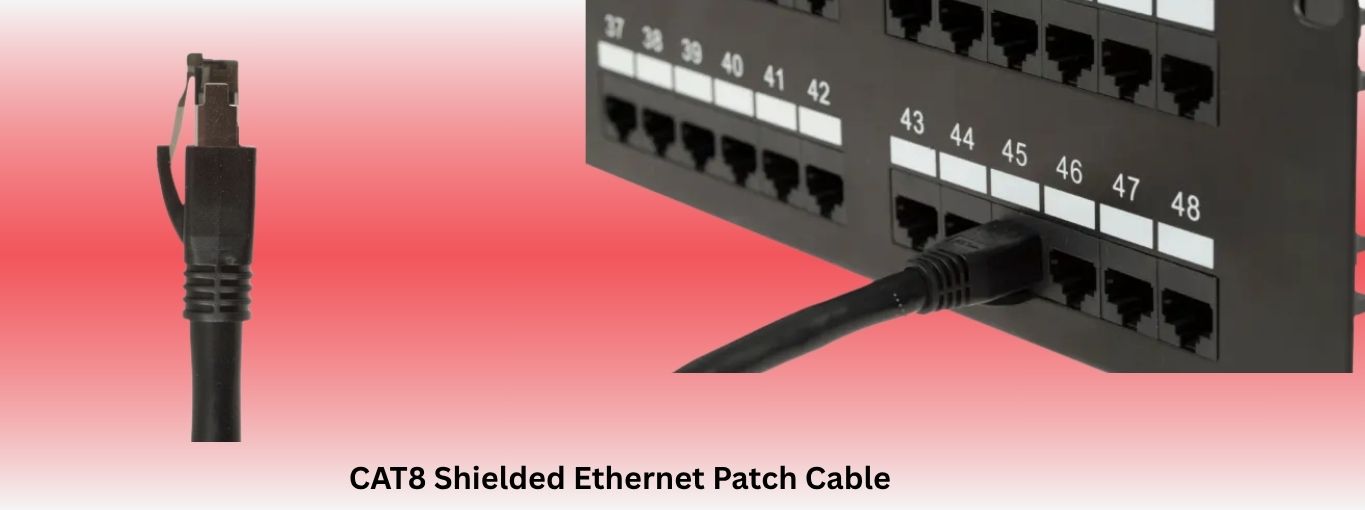
4. Cat8 Shielded Ethernet Patch Cable: S/FTP
This Cat8 patch cable is purpose-built for short, ultra-high-bandwidth runs and supports up to 40Gbps. Its heavy braid and foil combination locks out EMI in crowded racks where camera streams converge on PoE switches and NVRs. It is rated for a tight bend radius and uses backward-compatible RJ45 connectors.
- Why It’s Used
Rack-to-switch uplinks see the highest bandwidth and power draw; a cheap patch cable here is the single weakest link. This Cat8 cable locks in full speed and voltage without thermal throttling or crosstalk.
VI. Never Let Cabling Be Your Weakest Link
IP cameras do not fail because of the lens; they fail when assumptions about cabling go unchecked. Power loss, EMI bleed, and poor grounding are the silent killers in modern surveillance. Your Ethernet cable is an active part of your network, carrying both energy and uncompressed video with no margin for error. The cable’s shielding, conductor quality, and gauge are what protect your uptime.
CablesAndKits supplies rigorously tested PoE Ethernet cables trusted in retail, government, and commercial deployments. These are the same builds used by integrators who cannot afford downtime.
Build your security like every second matters, because it all starts at the cable.
Additional Learning Center Resources
- Choosing the Right Ethernet Cable Category: Cat5e vs Cat6 vs Cat6a vs Cat7 vs Cat8
- Say Goodbye to Slow Networks: Top Ethernet Cables for Ultimate Industrial Connectivity
- What Is a Cat6 Ethernet Cable? Unraveling the Basics of High-Speed Networking
- From Installation to Optimization: The Complete Data Center Cabling Guide
- What is a Direct Attach Copper (DAC) Cable? Common Types And Uses
- Transceiver vs Transmitter – Which One is Right for Your Communication Needs?